

玩法介绍
攻略指南
首先说明下,这游戏版本不管后面是点几,内容都是一样的,比如24.0和24.6之类,内容都是一样的,只是修复了一些BUG, 然后因为游戏版本不断更新导致了之前攻略与现在游戏内容有很多差别,还有用之前存档时背包无法打开的问题,最后决定重新做下此游戏的攻略(这游戏虽然有提示,但很多地方还是会让人不知所措的,尤其是圣诞内容,还挺难,所以有必要做个攻略),玩过前面版本剧情的这次重点看sakura的内容就行了,本次更新主要是sakura 17号特工官网
那么开始吧:

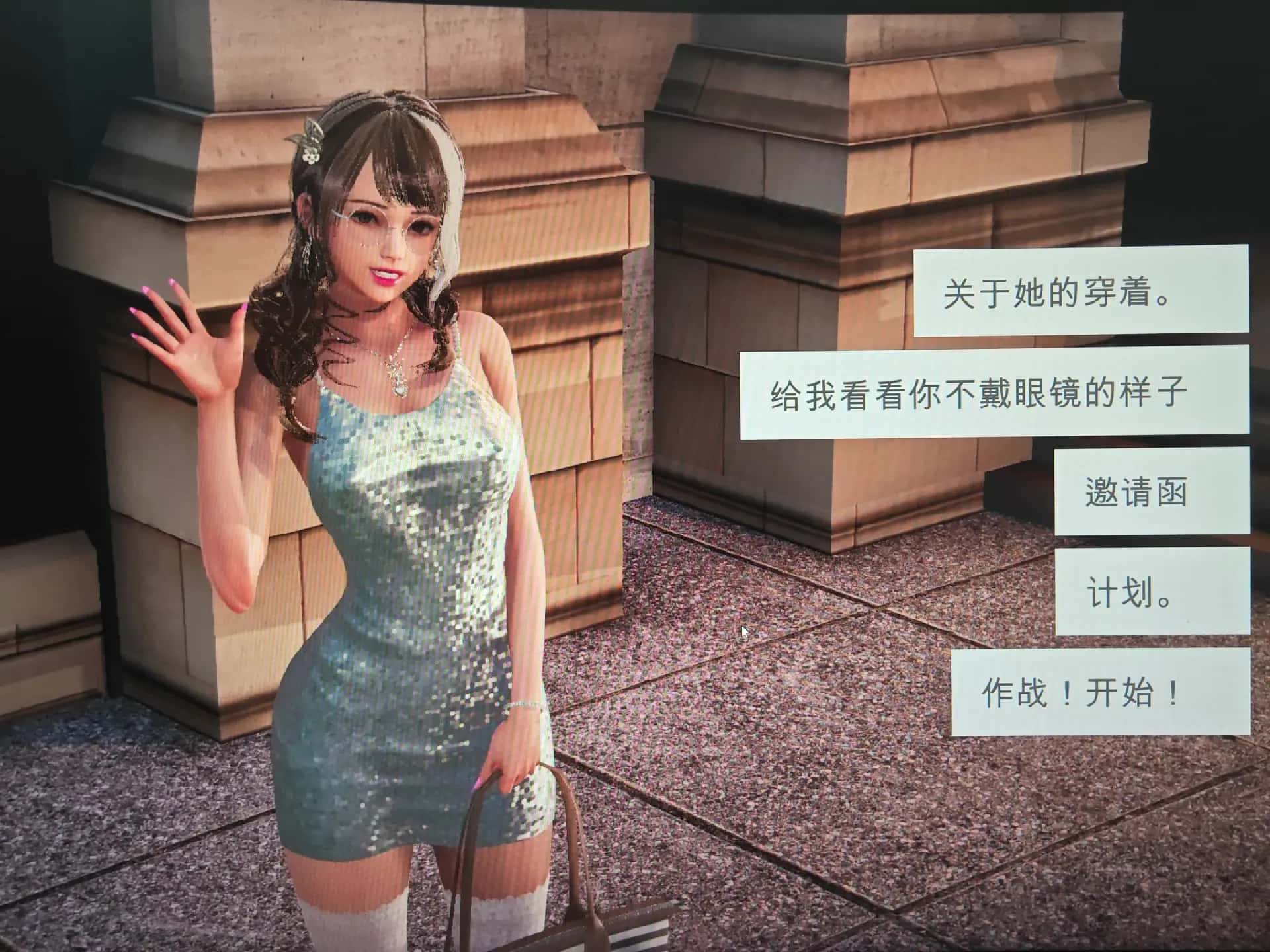
首先进游戏剧情后先输入各种礼包码,切记前面4个奖励礼包码只能选其一(当然选50刀...),输入礼包码的方法是打开背包,点手机,然后输入号码就行(礼包码大多数人应该都有,我会把这次的礼包码发在评论区),好多人物都有两条线,我都会讲(除了作者基本没开发的)

主线:去学校>教室>先各个人物交谈下>上课>剧情里都是单一选项没什么可说的(接下去剧情中单一选项的我都不提了)>出学校去后巷>Erica>随便选>回家和dana说话>摸头>左上快进时间>右边手机>每个问题问一遍>amber>让她给你买台电脑吧>计算机>睡觉>看妈妈>去学校>luna>颜色看着选>请求另一个吻>教室上课>空教室>ophelia>我的电脑坏了,你能修好吗>去店铺街>礼品店>anriel>摸>站起来>我的乌龟受伤了>随便选>点店铺街的胖子makoto>呼叫>amelia>对话完回家>dana房间找她>回自己房间点计算机>快进时间>手机>休息(暂时不做特工任务,后面分各个人物去做攻略,而因为50刀的礼包码里有特工的藏身处,所以休息能各资源加10)>快进时间>dana房间>想办法开门>厨房>dana房间>开门>选第三个>睡觉>妈妈能给我钱吗(赚钱的方法有很多,搞卫生,去医院卖蝌蚪,校长办公室,找老师,礼品店整理娃娃,卖战利品给胖子等)>回自己房间>计算机>看邮件(这个爸爸真是好榜样...)>窗户>amber房间找妈妈>敲门>问问dana第一次去海边的情况>去学校>快进时间>空教室>ophelia>去礼品店买望远镜和睡衣>回家回自己房间>计算机>去后巷>erica>回家找dana给她新睡衣

接下去开始攻略到个人:
dana:晚上请特工找出日记本密码>半夜去她房间>看着操作吧,不难的,慢一点就行,然后妈妈来了选看可以得到照片>等待>尿>第二天安慰她>半夜再去尿(开锁经验满了可以去电脑学习然后升级,但是要完成一个拼图游戏)>中午去她房间打开日记本(17号特工密码717)>超市买水瓶>傍晚找正在看电视的她>一起看电视(arete广告)>看看腿>mo>自己房间电脑上看按摩教程>半夜去她房间向地板浇水>第二天打完可以解锁脱胖子>去庭院点探索>电脑上学习维修>去超市买木板、去咖啡店买arete糖果>傍晚找她给她糖>傍晚如果她在房间的话去她房间找她看看胖子会得到一张照片(也可以给糖)>去咖啡店买糖果棒>空的时候去修好庭院的栅栏>去告诉dana修好了(她会告诉你下次她带她朋友来玩)>傍晚给他糖果棒>看着选>某天傍晚回家去dana房间看到chloe>现在关于dana有很多选项,可以早上去厕所找dana会得到新照片,可以傍晚给她按摩加按摩经验,可以晚上给她做作业给糖啥的,自己随便试吧>去礼品店买眼罩>傍晚dana如果在看电视的话去找妈妈告诉她你会洗碗>找dana给dana一颗糖果>arete牌糖浆棒(chloe攻略里有提到)>自己看着选吧>半夜去她房间浇水>隔天早上会有新的选项解锁(一直反复打,升上面的进度条,然后更进一步,直到全部升满出现吻)>傍晚找她按摩(这次不支开妈妈)>隔天傍晚支开妈妈再去找dana按摩>隔天傍晚再次支开妈妈再去找dana按摩>电脑上升级按摩等级>隔天傍晚再次支开妈妈再去找dana按摩>脸>自己看着选吧(增加dana好感上限)>然后重点说下按摩院需要按摩等级lv2且经验满了之后系统会有提示,接着去电脑上搜索,会出现自己家附近的按摩院,选第一个就行了,在市中心会新增地点,但是目前作者还未开发>去过按摩院后会解锁新的按摩项>傍晚找dana按摩选这个新增的>这里自己玩吧,不难的,只要提示点绿色项的时候点就行了,循序渐进就行了(结束后增加好感上限)>接下去全部看chloe的攻略即可

chloe:去咖啡店买arete jelly(顺便买arete糖浆)>傍晚她在的时候可以给她果冻>可爱的>是的>等chloe在的时候找她>不,我没有>隔天再找她>隔天再次找她出现新的选项>玩个新游戏>去礼品店买个游戏转盘>回去找她>玩个轮盘游戏>脱掉一件>这里可以用礼包码里的作弊功能>三次都选自己就行了(当然也可以选她们俩,只要保证自己输就行了)>不跳舞>隔天再找chloe玩...的游戏>自己看着选吧(能增加好感上限)>多买几颗arete jelly,改天再找她>给她糖>玩....的游戏>把它放在你的嘴里>接下去自己看着选就行(结束增加好感上限)>改天再找她给她arete jelly(现在应该好感是4心)>把chloe叫到自己房间>快进时间>回自己房间找她>自己看着选吧(如果手头有5个arete jelly,可以向她买战利品)>隔天再找她叫回自己房间>这次战斗需要提升她的唤醒度,直到可以进行下一步,各个选项都试一遍都能行的(不行的话就隔天再来)>成功后隔天再找她先给arete jelly,再选那个2心的游戏,然后游戏过程中有个5心的选项新增,点这个选项>成功后隔天再找她叫她去我们房间就会解锁5心的和dana一起玩的选项,点这个(会提示需要和dana的关系改善才可以,如果不行的话就去找dana提升对应的关系吧,束缚和糖基本是满的,好感只需要在dana一个人的时候给她糖或者帮她做作业或者给chloe果冻,dana也会涨一点)>每个选项都选一遍>然后去超市买可乐>找dana给可乐>快进时间>去找dana>自己看着选吧>隔天再找chole>和dana、chloe做点事>自己看着选吧>隔天半夜去找dana各种选项试着提高她的唤醒度到最高(一次不行的话就第二天继续)>成功后自己回去睡觉发生剧情>隔天再找chloe叫到我们房间>玩游戏赚钱>这里存新档(开启chloe分支),目前没啥内容,chloe和dana的剧情就到这里了,等更新吧
amber:升级到2级按摩后晚上去房间找她>要我帮你按摩吗>隔天早上去她门口敲门>这里怕失败可以存个档再滴眼药水(左右眼各一次就行)>不知道是dana剧情推进到一定程度还是再次在电脑里收到爸爸的邮件,某天睡醒会发生老妈进我们房间的剧情>问妈妈早上是否来过我们房间>先去自己电脑上学习隐形>半夜去她房间(需要加她属性先,在她洗碗时看她,看电视时看她,帮忙滴眼药水等都可以)>再敞开一点>目前等级不够,先离开>改天半夜再去找她>取下毯子>自己看着选>去电脑上看爸爸发来的新邮件(终于爸爸要给我们钱了)>接下去每天半夜都去找她,提升隐形经验然后去电脑上升级技能>下次再来能看看相框(发现取钥匙需要技能到4级)>只能不断重复然后升级(4级的拼图还是有点难度的,看下面我发的图)>4级后半夜再去找她看看相框>取下钥匙(得到500)>目前特工17中文攻略剧情就到这里了,等待更新吧